Serve a page with a form
What you'll build
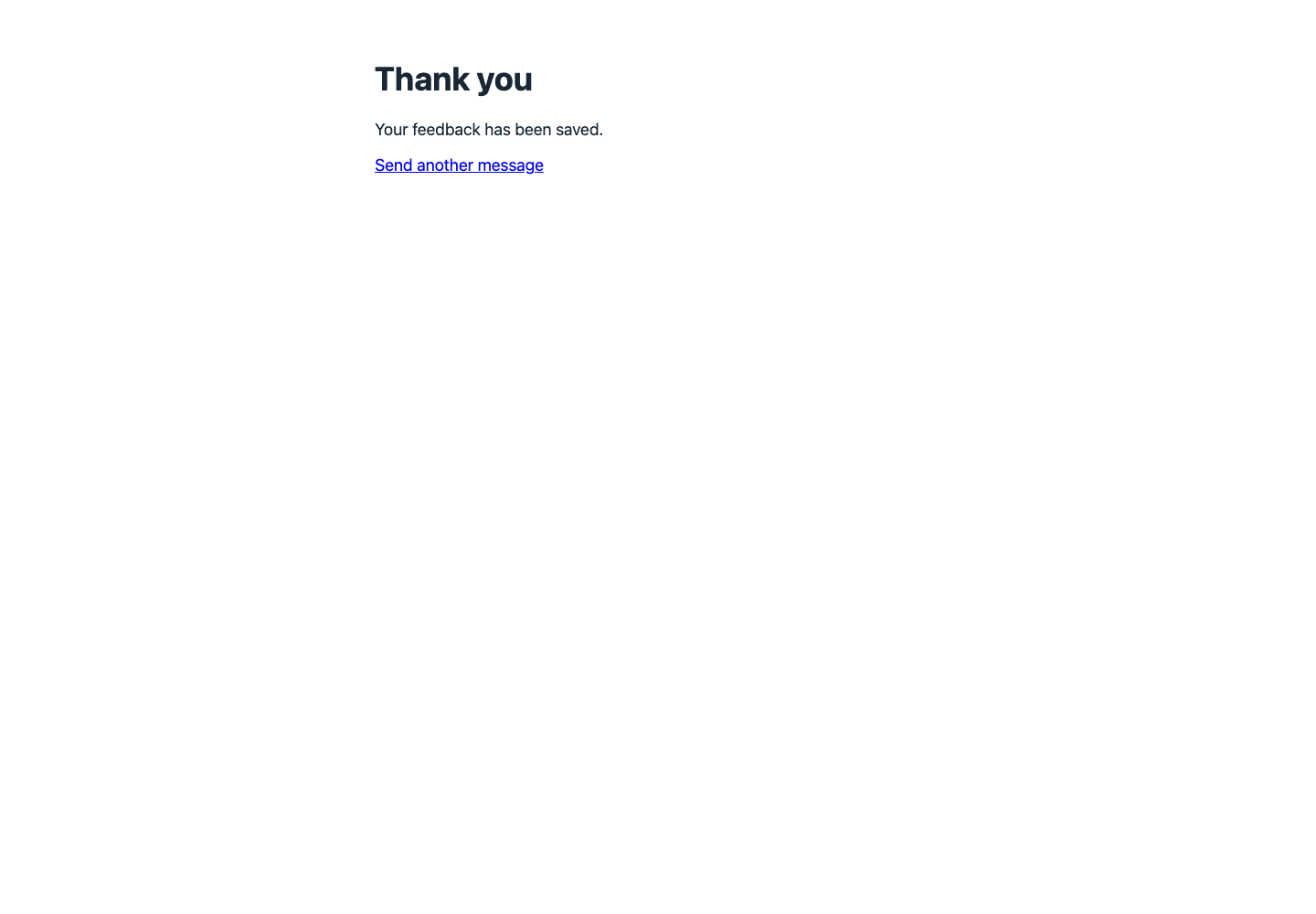
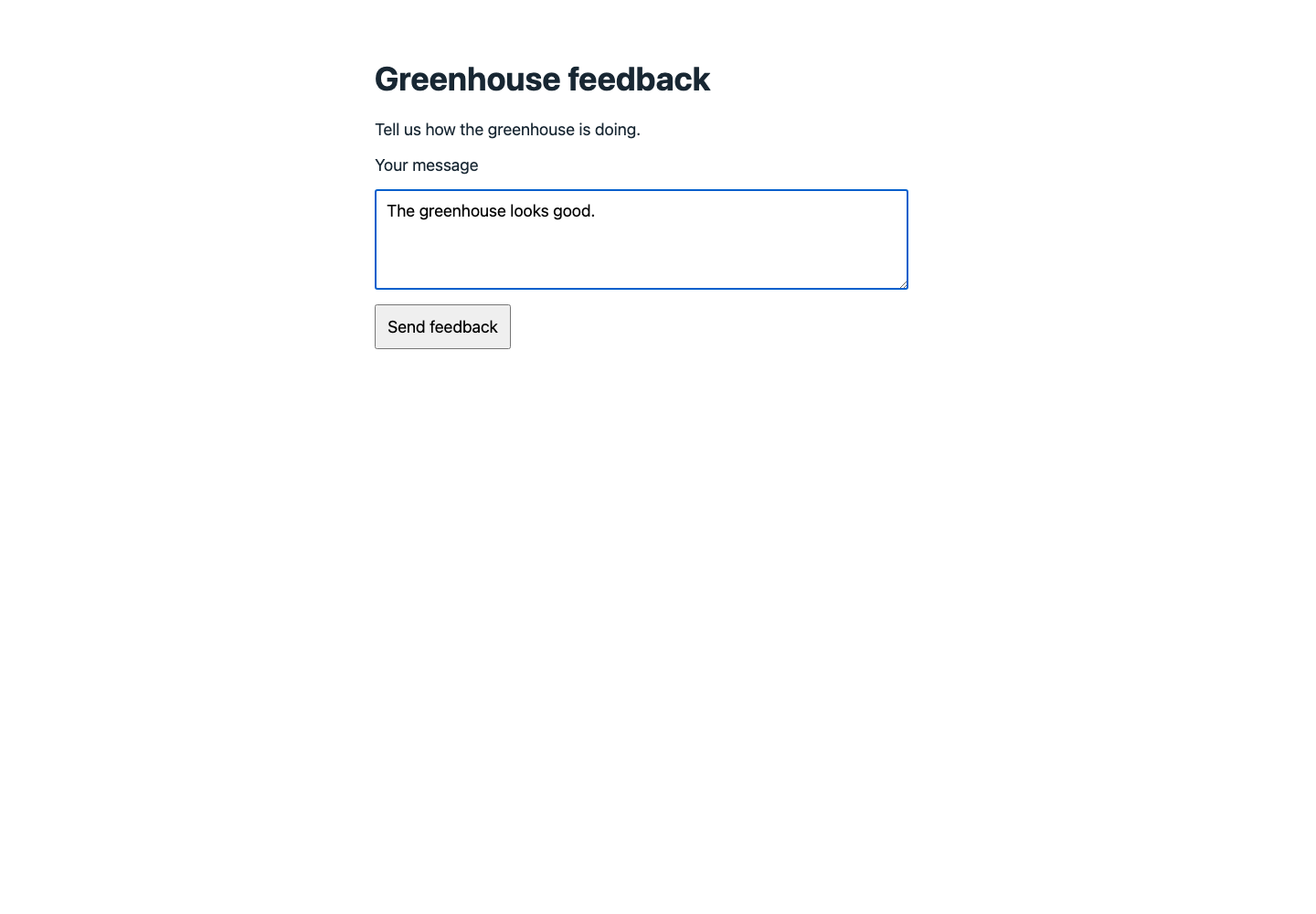
A public feedback page with no separate website to host. Opening GET / displays a form; submitting it sends POST /submit, saves the message, and returns a Thank you page with 200. The form uses a relative action, so it stays inside this Endpoint.
curl "$ENDPOINT_URL/submit" --data-urlencode 'message=The greenhouse looks good.'
The response is an HTML page headed Thank you, followed by Your feedback has been saved.
Set up
Create a Luau Analysis and enable its Endpoint in Public mode. $ENDPOINT_URL is the copied URL without a trailing slash.
| Item | Value |
|---|---|
| Feedback device | A dedicated device for these public submissions |
| Analysis variable | FEEDBACK_DEVICE_ID = that device's ID |
| Stored variable | feedback, containing the submitted message |
| Caller identity | None required; anyone with the URL can submit |
This is an anonymous inbox, not a form for changing a user's own resources. Keep it separate from operational devices. A Public Endpoint can consume your allowance when anyone calls it.
Write the Luau
Paste these blocks in order into the same Analysis; they form one script.
Define the page once, including a relative submit action.
local form = [[<!doctype html>
<html lang="en"><meta charset="utf-8"><title>Greenhouse feedback</title>
<style>
body{font:18px system-ui;max-width:620px;margin:64px auto;color:#182733;background:white}
textarea,button{font:inherit;padding:12px}textarea{display:block;width:90%;margin:16px 0}
</style>
<h1>Greenhouse feedback</h1><p>Tell us how the greenhouse is doing.</p>
<form method="post" action="submit">
<label>Your message<textarea name="message" required maxlength="500" rows="4"></textarea></label>
<button>Send feedback</button></form></html>]]
Serve the form for GET / and route its submission separately.
Analysis.use(function(context, scope)
  local request = context.request
  if not request then return end
  if request.method == "GET" and request.path == "/" then
    return form
  end
  if request.method ~= "POST" or request.path ~= "/submit" then
    return "<h1>Not found</h1>", { status = 404 }
  end
Read decoded form fields from scope and validate on the server too.
  local message = type(scope) == "table" and scope.message or nil
  if type(message) ~= "string" or not message:find("%S") or #message > 500 then
    return "<h1>Check your message</h1><p>Enter 1 to 500 bytes of text.</p>", { status = 422 }
  end
  Devices.get(context.environment.FEEDBACK_DEVICE_ID):addData({
    variable = "feedback", value = message,
  })
Return a thank-you page without inserting the submitted text into HTML.
  return [[<!doctype html>
<html lang="en"><meta charset="utf-8"><title>Thank you</title>
<style>body{font:18px system-ui;max-width:620px;margin:64px auto;color:#182733;background:white}</style>
<h1>Thank you</h1><p>Your feedback has been saved.</p>
<a href="./">Send another message</a></html>]]
end)
Endpoint pages have no cookies or browser storage. This form needs neither: the browser sends URL-encoded fields and the Analysis returns the next page. Avoid echoing unescaped user input into HTML.
Permissions
The anonymous caller has no resource identity. The Analysis always writes to the fixed device in its variable.
| Target | Resource | Actions |
|---|---|---|
| This Analysis | Feedback device | Access, Send data |
| Anonymous visitor | Public Endpoint | No Access Management policy required |
Configure the Analysis's Allow permission in Access Management.
Try it
- Open
$ENDPOINT_URL/in a browser, including the trailing slash. - Enter The greenhouse looks good. and select Send feedback. The browser shows Thank you and the feedback device receives the message.
- Use the curl command to send the same form without a browser. An empty message returns
422instead of saving data.