TagoSQL
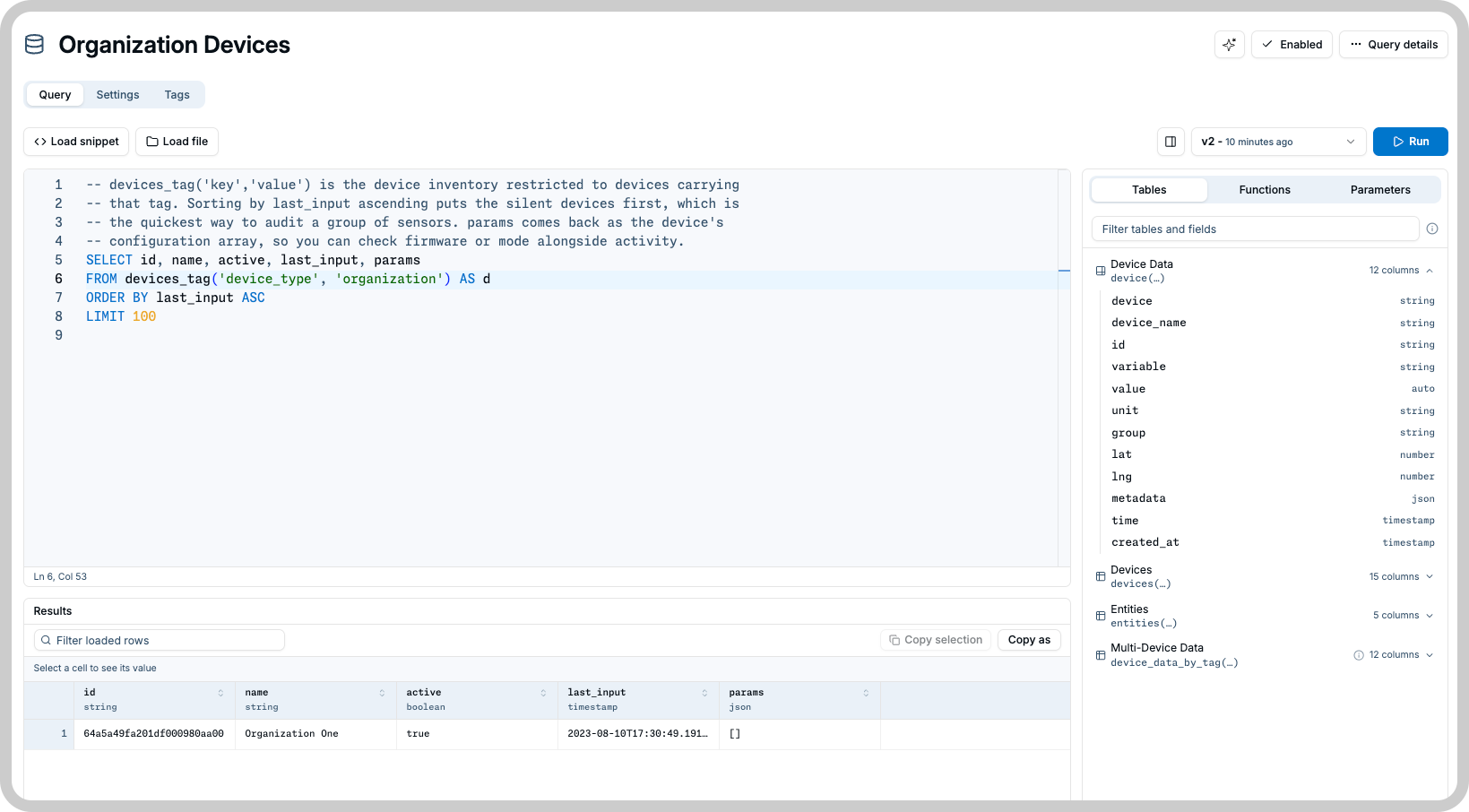
TagoSQL lets you ask a question about your data and get back a clean table of answers. Instead of pulling raw data and filtering it yourself, you write a few lines that say which device, which variable, which period, and how many rows you want. TagoIO does the work and returns exactly those rows.
info
Every query is read-only and limited to your own profile. A query can never reach data that is not yours, and it can never change anything.
Your first query
Copy this, replace DEVICE_ID with the id of one of your devices, and run it. You get that device's last
10 readings.
SELECT variable, value, time
FROM device('DEVICE_ID') AS d
ORDER BY time DESC
LIMIT 10
You can find a device id on the device page in TagoIO, or let the query editor list your devices for you.
Where to use it
| Context | Support |
|---|---|
| Admin | Yes: write, save, and run queries with your profile token. |
| Analysis | Yes: run a saved query when an Access Management policy grants it Execute. |
| TagoRUN | Yes: Run users run a saved query through the same kind of grant. Custom widgets and Custom Dashboards read data this way. |
| Custom Dashboard | Yes: list and run saved queries over the SQL and Endpoint Bridge, which also calls Analysis Endpoints. |
| TagoIO API | Yes: the /sql routes create, manage, and execute queries. |
What you can build with it
- Dashboards. Feed a table or chart widget with rows that are already filtered, sorted, and summed, so the widget only has to draw them.
- Reports. Answer questions like "how many alarms did each site raise last month" in one query instead of exporting data and working on it afterwards.
- Fleet views. Show the last reading of every device carrying a tag, such as the newest temperature for all your sensors, in a single request.
- Portals and applications. Save a query once and let an analysis, a custom widget, or a TagoRUN portal run it by id.
How it works
- Write the query. Start from the examples in Getting started and change the device, variable, or period.
- Save it. A saved query is a resource on your profile with a name, a version history, and its own settings. See Queries.
- Execute it whenever you need the data, from a widget, an analysis, or your own application. See Executing Queries.
Next steps
- Getting started walks through the queries most accounts need, one recipe at a time.
- Queries covers saving a query, what it holds, and which SQL is accepted.
- Look up the specifics as you need them: every table and column, parameters, per-user results, and errors.
- Plan limits live with the rest of the platform's: Resource Limits for what one query may do, and Rate Limits for requests per minute.
- For endpoint-level detail (request and response schemas, every field and status code), use the TagoIO API reference under the SQL Queries section.
Something missing from this page?