TagoIO Academy
TagoIO Academy is a video learning library built into the TagoIO Admin. It collects short, focused tutorials that walk you through the platform, one feature at a time, so you can learn how something works and put it to use without leaving the Admin. Watch, learn, and work smarter.
How to find it
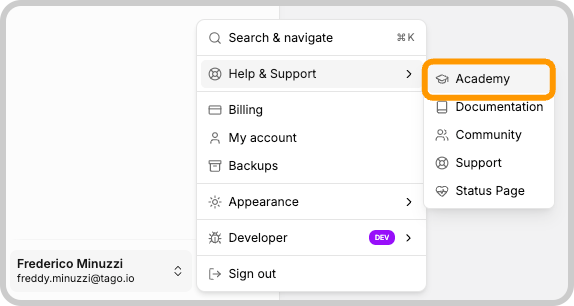
The Academy lives in the main navigation menu of the Admin, alongside entries like What's new, Profiles, Billing, and Documentation. Click Academy to open it.
It opens as a drawer over your current screen, so you can browse and watch a tutorial without losing the page you were working on. Close the drawer to return to exactly where you left off.
How it works
When the drawer opens, it shows the full catalog of tutorials. From there you can:
- Search by typing in the What would you like to learn? box to find a tutorial by name or topic.
- Filter by category using the category selector to narrow the list to a single area, such as Devices, Actions, or Secrets.
- Browse the cards, each of which shows a thumbnail, the title, the length, the language, and the category.
Click any card to open the tutorial. The video page includes the player, the duration, language, and category, a short What's it about? summary, and the instructor. Use Back to Academy to return to the catalog and pick another tutorial.
What you can learn
The catalog covers features across the platform, including Devices, Actions, Entities, Files, Access Management, Secrets, Custom Widgets, the Audit Log, adding team members, TagoRUN, and TagoTiP. Most tutorials run only a few minutes, so you can watch one before you start building.
Why use the Academy
- Learn in context. Everything is one click away inside the Admin, so you can watch a tutorial and apply it on the same screen.
- Get up to speed fast. Tutorials are short and focused, which makes the Academy a quick way to onboard new team members or ramp up on a feature you have not used before.
- Pairs with the documentation. Watch the overview here to see a feature in action, then come back to these docs for the full details and step-by-step instructions.