TagoAI
TagoAI adds AI assistance to the TagoIO Admin, AI Dashboards, and TagoRUN portals. It can answer questions about TagoIO, inspect your resources, generate Analysis code, and create or edit platform resources according to the permissions you select.
Use this section to configure AI for a profile, choose models, manage costs, and work safely with the assistant.
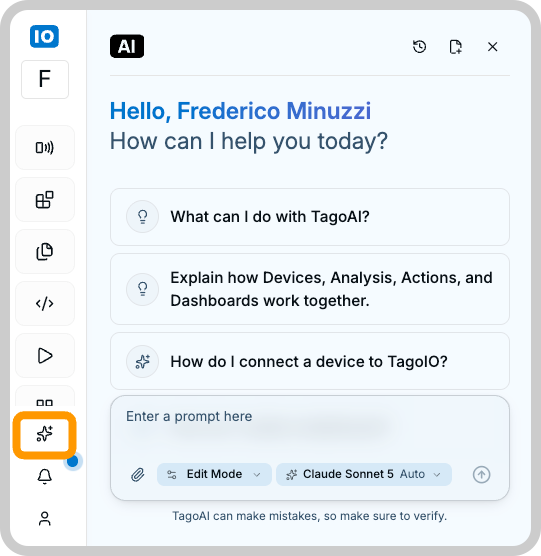
Choose what you want to do
- Use TagoAI Chat to ask questions or work with resources in the Admin.
- Review TagoAI features to configure Chat, AI Dashboards, and TagoRUN.
- Set up AI Chat in TagoRUN for your portal users, and write its system prompt.
- Choose an AI model and understand how requests are billed.
- Manage AI Credits for TagoIO catalog models.
- Connect your own AI provider.
- Review AI usage by profile, model, and feature.
Work safely with TagoAI
TagoAI can inspect, create, edit, or delete resources depending on the selected mode.
Start in Read Only when you want TagoAI to investigate a problem or propose a plan. Edit Mode can apply changes directly, and Full Access can delete resources. Review the TagoAI Chat modes before allowing changes.
TagoAI acts within your own account permissions. It cannot access or change anything your user could not already reach on its own, and it cannot grant itself more access than you have.
Disabling TagoAI
TagoAI is controlled per profile. An account can have multiple profiles, and each one is enabled or disabled on its own, so turning it on or off in one profile does not affect the others.
When it is disabled, the assistant does not appear in that profile and no data is sent to any AI provider. On profiles in the EU region, it is off by default.
You will find the toggle to enable or disable TagoAI under Profile Settings → Services → AI Provider.
Security
Action logging: Actions TagoAI takes on your account are recorded with the account that ran them, the time, and what changed, so you can review what happened after the fact. Read more in Audit Log.
On-screen data is context, not commands: When you open TagoAI from a page, it reads what is on that screen to understand your question. It is built to treat that content as data to reason about, not as instructions to follow. Even so, when a task involves content you do not control, such as device payloads from the field, run it in Read Only first and review what the assistant proposes before switching to a mode that can make changes.
Review what it produces: TagoAI can write Analysis code and build resources for you. You are responsible for reviewing its output before you rely on it. Read generated code and check configuration the way you would review a change from a teammate, especially before running it in production.
Privacy and data handling
What TagoIO stores: TagoIO keeps your chat history so you can revisit previous conversations; it is capped per profile and the oldest chats are deleted as new ones are created (see Chat history). Actions the assistant takes are recorded in the Audit Log.
What model providers see: By default, TagoIO selects the model and provider that meet the privacy and security evaluations we have in place. The providers we use operate under agreements that prevent your data from being used to train their models.
If you want direct control over which model and provider process your data, you can configure your own AI provider for a profile. Your provider keys are stored using TagoIO Secrets and are not displayed again in the Admin after they are saved. When you bring your own provider, your data is processed under your own agreement with that provider, and its data-handling terms are your responsibility. See Using your own AI provider.
No data is sent to any AI provider while TagoAI stays disabled on a profile (see Disabling TagoAI). TagoAI is identified as an AI assistant wherever it appears in the Admin.