Export data as CSV
What you'll build
A spreadsheet or BI tool requests GET /temperature.csv with an authorization token and receives 200 with text/csv, ready to import. The Analysis reads up to 100 recent temperature readings from a device you choose, not from an ID supplied by the caller.
curl "$ENDPOINT_URL/temperature.csv" -H "authorization: $AUTHORIZATION_TOKEN" -o temperature.csv
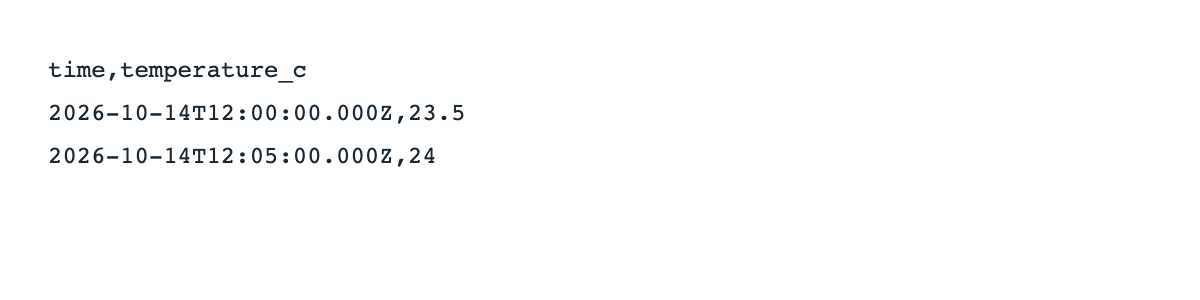
For a device containing these example readings, the file contains:
time,temperature_c
2026-10-14T12:00:00.000Z,23.5
2026-10-14T12:05:00.000Z,24
Set up
Create a Luau Analysis and enable its Endpoint in Token mode. $ENDPOINT_URL is the copied URL without a trailing slash; $AUTHORIZATION_TOKEN is an authorization token on the same profile. Configure your importing tool to send that token in its authorization header, not in a query parameter.
| Item | Value |
|---|---|
| Analysis variable | EXPORT_DEVICE_ID = the device to export |
| Device variable | temperature, with numeric values in degrees Celsius |
| Example data | 23.5 at 2026-10-14T12:00:00.000Z; 24 at 2026-10-14T12:05:00.000Z |
| Result | Latest 100 readings, presented oldest first |
Any authorization token on this profile can call this example. Use it only for a dataset that those integrations may read. The token does not identify a particular integration to the script.
Write the Luau
Paste these blocks in order into the same Analysis; they form one script.
Restrict the caller and route before reading data.
Analysis.use(function(context, scope)
  local request = context.request
  if not request then return end
  if request.caller.type ~= "authorization" then
    return { json = { error = "Forbidden." }, status = 403 }
  end
  if request.method ~= "GET" or request.path ~= "/temperature.csv" then
    return { json = { error = "Not found." }, status = 404 }
  end
Fetch recent numeric temperatures and put them in chronological order.
  local rows = Devices.get(context.environment.EXPORT_DEVICE_ID):getData({
    variables = "temperature", qty = 100, ordination = "descending",
  })
  local lines = { "time,temperature_c" }
  for i = #rows, 1, -1 do
    local row = rows[i]
    if type(row.value) == "number" then
      table.insert(lines, row.time .. "," .. tostring(row.value))
    end
  end
Return a CSV string rather than JSON or an HTML page.
  return table.concat(lines, "\n") .. "\n", {
    content_type = "text/csv; charset=utf-8",
    headers = { ["content-disposition"] = 'attachment; filename="temperature.csv"' },
  }
end)
This export includes platform timestamps and numeric values only. If you add arbitrary text columns, escape CSV quotes, commas, and newlines, and protect spreadsheet consumers from formula injection. Keep the result within the Endpoint's response limit.
Permissions
The Analysis reads device data, rather than using the platform's bulk-export operation.
| Target | Resource | Actions |
|---|---|---|
| This Analysis | Export device | Access, Get data |
| Importing tool | Authorization token on the same profile | No Call Endpoint policy required |
Add the Analysis's Allow permission in Access Management. Export data is not required for this script.
Try it
- Add the example readings to an otherwise empty test device and set
EXPORT_DEVICE_IDto it. - Run the curl command and open
temperature.csvas text. It matches the CSV above, including a final newline. Your own device produces its own timestamps and values. - Import the file into a spreadsheet, or configure the tool's HTTP import with the same URL and header.
Admin's Try it uses a profile token, which this authorization-only script rejects with 403; use the curl request to test the intended caller.