Run long jobs
What you'll build
A Run user starts a temperature report with POST /start and gets 202 with a new job_id, without waiting for the report. A Bun worker reads the user's device and stores the result. Calling GET /status/<job_id> returns 202 while it is pending, then 200 with the completed report. Use this pattern when work needs packages, network access, or more time than an Endpoint's 30-second limit.
curl "$ENDPOINT_URL/start" -H "token: $RUN_USER_TOKEN" -H 'Content-Type: application/json' -d '{"report":"temperature"}'
The response has this shape; the job ID is different on each call:
{"job_id":"<generated UUID>"}
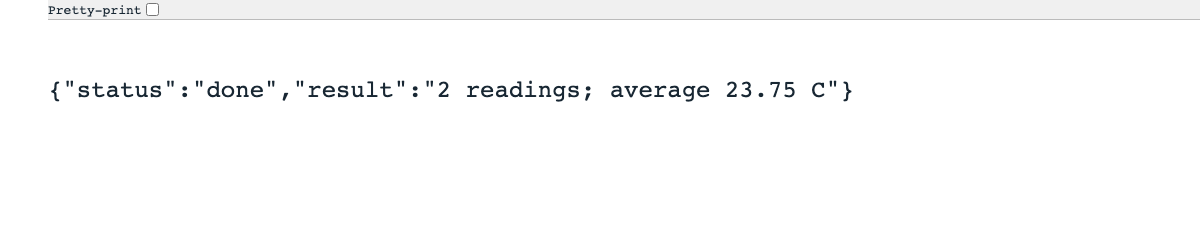
With device temperatures of 23.5 and 24, the completed status response is:
{"status":"done","result":"2 readings; average 23.75 C"}
Set up
Create a Luau Analysis with its Endpoint enabled in Token mode, and a separate Bun Analysis for the worker. $ENDPOINT_URL is the Endpoint's copied URL without a trailing slash; $RUN_USER_TOKEN is a signed-in Run user's token.
| Item | Value |
|---|---|
| Device tag | user_id = the Run user's ID; exactly one device per user |
| Device data | Numeric temperature readings in degrees Celsius |
| Jobs entity fields | job_id (string), user_id (string), device_id (string), status (string), result (text, optional) |
| Entity index | job_id_idx on job_id |
| Endpoint variables | JOBS_ENTITY_ID = jobs entity ID; WORKER_ANALYSIS_ID = Bun Analysis ID |
| Worker variable | JOBS_ENTITY_ID = the same jobs entity ID |
Create the entity's fields and index before running either Analysis. The entity's built-in row id is different from your job_id field.
Write the Luau Endpoint
Paste these blocks in order into the Endpoint Analysis; they form one script.
Require a Run user and open the jobs entity.
Analysis.use(function(context, scope)
  local request = context.request
  if not request then return end
  local caller = request.caller
  if caller.type ~= "run_user" then
    return { json = { error = "Sign in first." }, status = 403 }
  end
  local jobs = Entities.get(context.environment.JOBS_ENTITY_ID)
Validate the report and resolve the user's device from its tag.
  if request.method == "POST" and request.path == "/start" then
    if type(scope) ~= "table" or scope.report ~= "temperature" then
      return { json = { errors = { report = "Choose temperature." } }, status = 422 }
    end
    local devices = Devices.list({
      filter = { tags = { { key = "user_id", value = caller.id } } }, amount = 2,
    })
    if #devices ~= 1 then
      return { json = { error = "No unique device for this user." }, status = 403 }
    end
Record the job before starting the Bun worker, then return its ID.
    local job_id = Uuid.v4()
    jobs:addData({
      job_id = job_id, user_id = caller.id, device_id = devices[1].id, status = "pending",
    })
    Analysis.run(context.environment.WORKER_ANALYSIS_ID, { job_id = job_id, report = scope.report })
    return { json = { job_id = job_id }, status = 202 }
  end
Look up status through the index, and give unknown jobs and another user's jobs the same 404 response.
  local job_id = request.path:match("^/status/([%w%-]+)$")
  if request.method == "GET" and job_id then
    local row = jobs:getData({ index = "job_id_idx", filter = { job_id = job_id }, amount = 1 })[1]
    if row == nil or row.user_id ~= caller.id then
      return { json = { error = "Not found." }, status = 404 }
    end
    if row.status == "done" or row.status == "failed" then
      return { json = { status = row.status, result = row.result } }
    end
    return { json = { status = row.status }, status = 202 }
  end
  return { json = { error = "Not found." }, status = 404 }
end)
Write the Bun worker
Select Bun (bun-rt2026) for the worker. Paste these JavaScript blocks in order into one script. This report is deliberately small so you can see the round trip; your longer report can use the same job lifecycle.
Use the SDK and find the job by its indexed job_id. If the lookup fails or no row exists, the worker throws before entering try and writes no status.
import { Analysis, Resources, Utils } from "@tago-io/sdk";

Analysis.use(async (context, scope) => {
  const resources = new Resources({ token: context.token });
  const { JOBS_ENTITY_ID } = Utils.envToJson(context.environment);
  const [job] = await resources.entities.getEntityData(JOBS_ENTITY_ID, {
    index: "job_id_idx", filter: { job_id: scope.job_id }, amount: 1,
  });
  if (!job) throw new Error("Job not found");
Read the device ID saved by the Endpoint, and calculate the temperature report.
  try {
    if (scope.report !== "temperature") throw new Error("Unknown report");
    const rows = await resources.devices.getDeviceData(job.device_id, {
      variables: ["temperature"], qty: 1000,
    });
    const values = rows.map((row) => row.value).filter((value) => typeof value === "number");
    const average = values.reduce((sum, value) => sum + value, 0) / values.length;
    const result = values.length
      ? `${values.length} readings; average ${average.toFixed(2)} C`
      : "No temperature readings";
Save success or failure by the entity row's id, not by job_id.
    await resources.entities.editEntityData(JOBS_ENTITY_ID, {
      id: job.id, status: "done", result,
    });
  } catch (error) {
    context.log(error);
    await resources.entities.editEntityData(JOBS_ENTITY_ID, {
      id: job.id, status: "failed", result: "Worker failed",
    });
  }
});
A worker that cannot start, read the job, or update the entity, or that times out, may leave an existing job pending. If the row is missing, the worker cannot write a status, and the status Endpoint returns 404. Choose a waiting deadline in the caller, based on the worker's configured time limit, and show a failure when it expires. The Endpoint does not retry jobs automatically.
Permissions
In Access Management, create Allow permissions for the Endpoint and worker separately. Do not grant Run users direct entity access or permission to run the worker.
| Target | Resource | Actions |
|---|---|---|
| Run User | Endpoint Analysis | Call Endpoint |
| Endpoint Analysis | Devices mapped by user_id | Access |
| Endpoint Analysis | Jobs entity | Access, Get data, Send data |
| Endpoint Analysis | Bun worker Analysis | Run Analysis |
| Bun worker Analysis | Jobs entity | Get data, Edit data |
| Bun worker Analysis | Users' temperature devices | Get data |
The Endpoint stores the caller's user ID and mapped device ID itself. Neither comes from request input. Analysis.run starts the worker without waiting for its result.
Try it
-
Save both scripts, set their variables, and send the start request. Copy the returned
job_id. -
Ask for status, replacing
$JOB_IDwith that value:curl "$ENDPOINT_URL/status/$JOB_ID" -H "token: $RUN_USER_TOKEN" -
While the worker is running, expect
202with{"status":"pending"}. Once it finishes, expect200withstatus: "done"and the report. A short report may finish before your first status call. -
Call that status URL as another Run user who also has Call Endpoint. Expect
404with{"error":"Not found."}, even though the job exists.
Admin's Try it uses a profile token and receives 403 from this Run-user-only script. Use the user's token for the curl test, or call the same paths from a Custom Dashboard.
The jobs entity holds the pending record before the worker finishes:
