Orbiwise LoRaWAN™
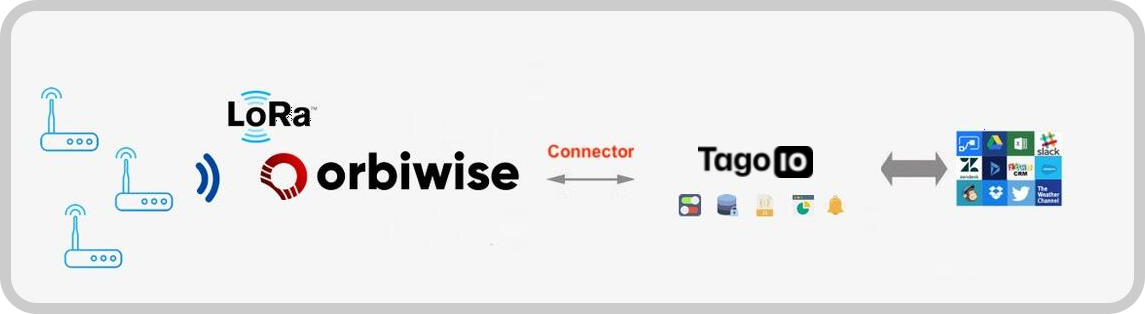
This tutorial provides a step-by-step guide to integrate Orbiwise LoRaWAN™ with the TagoIO Platform. By following these instructions, you will enable uplink and downlink operations, allowing data exchange between your LoRaWAN devices and the TagoIO application.
Prerequisites
Before you begin, ensure you have the following:
- Orbiwise account: If you don't have one, register here (https://orbiwise.com/).
- LoRaWAN device: Ensure your device is connected to Orbiwise and transmitting data.
Step 1: Create Authorization in TagoIO
-
Access Authorizations
- Go to Devices.
- Click on the Authorizations link (https://admin.tago.io/devices/authorization) at the top of the page.
-
Create a New Authorization
-
Click the Create Authorization button.
-
Provide a meaningful name for the authorization (e.g.,
Orbiwise-Integration). -
In the Additional Parameters section, enter your Orbiwise Username, Password and DASS URL from Step 2 in the following format:
USERNAME;PASSWORD;DASS_URLExample:
tagoio;iot;<your_dass_url>; -
Click Save.
-
-
Copy the Authorization Token
- After creation, copy the authorization token. You will need this in later steps.
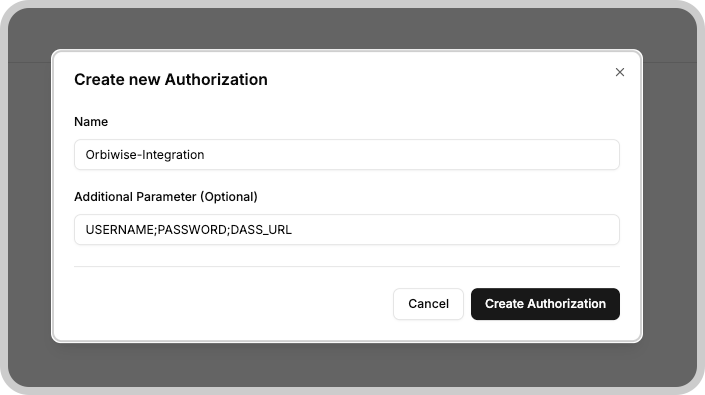
You must enter the username;password;host DASS url separated by a semicolon. Only one Authorization per application is necessary. Don't do it for each device.
Step 2: Add Integration to Orbiwise
-
Go to your Orbiwise console and create a new Application.
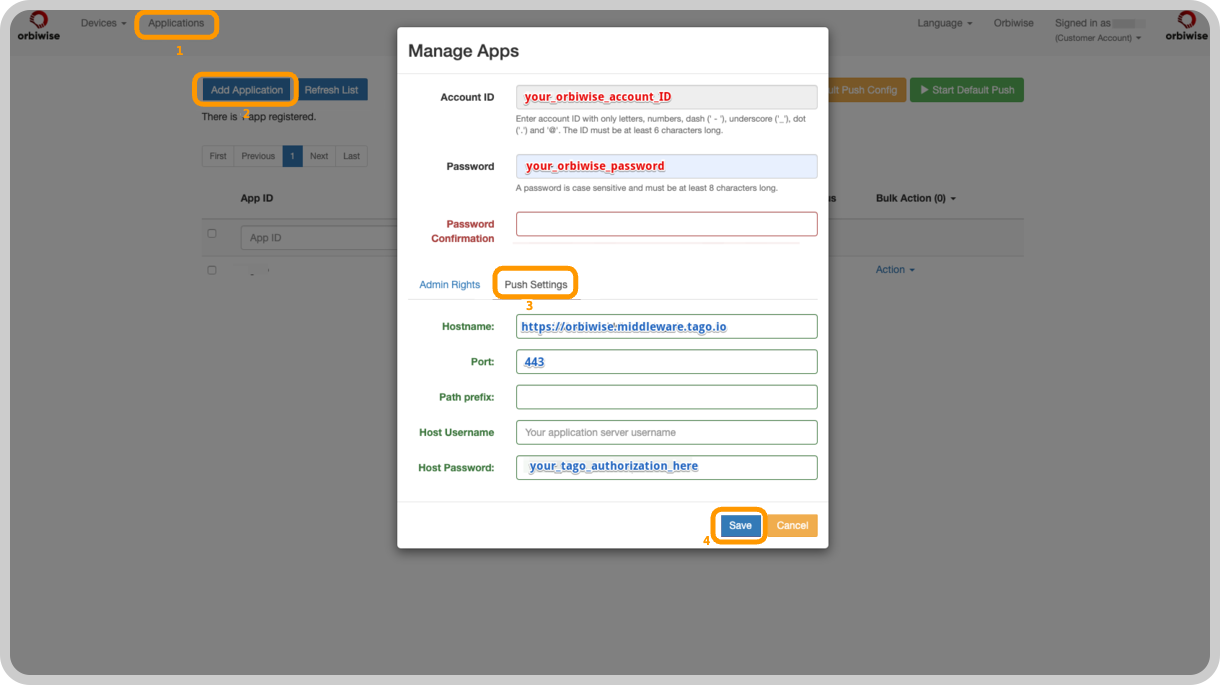
- Navigate through the menu: Application > Add Application > Manage Apps > Push Settings.
-
In the Manage Apps screen, click on Push Settings and fill in the following fields:
Field Value Hostname Use the endpoint format https://orbiwise.middleware.REGION.tago.io. ReplaceREGIONwith your deployment region (e.g.,us-e1,eu-w1).Port 443Host Pass Set its value to the authorization token you copied in Step 1. -
Start Push
- Make sure that you set the status of your Application to <Start Push>.
Step 3: Add Device in TagoIO
Ensure Device EUI Consistency
- When creating the device in TagoIO, use exactly the same Device EUI that is configured in Orbiwise.
- The Device EUI must match exactly to establish a successful connection between Orbiwise and TagoIO.
Select the Appropriate Network and Device Type
- Choose the LoRaWAN Orbiwise Network during the device setup process.
- Select the correct device type from the available options. If your device is not listed, you can add support through connectors.
Add Device Support via Connectors (If Necessary)
- If your device type is not available in the default list, enhance its compatibility by using connectors.
- For more information on available connectors and how to use them, refer to the Connector Overview.
For detailed instructions on adding devices, visit the Adding Devices page.
Finalizing Setup
-
Power On Your Devices
- Turn on your LoRaWAN device and gateway to initiate data transmission.
-
Verify Data Reception
- In TagoIO, navigate to the Device and into the Data tab to confirm that data is being received.
- Alternatively, use the Live Inspector within your device settings to monitor incoming data in real-time.
With data successfully flowing into TagoIO, you can start creating Dashboards, Analyses, and Actions to visualize and manage your device data effectively.
Learn how to perform downlink for LoRaWAN.