Data Retention Feature
Overview
The Data Retention feature automatically removes old data from Immutable devices after the period you define. Its purpose is to help customers avoid unnecessary costs by deleting data that does not need to be kept long-term. Hybrid devices also have an immutable side subject to this retention policy; their mutable-side variables are never dropped by retention.
The Data Retention feature is available only for Optimized Device Data.
Selecting Data Retention
To configure Data Retention, you must select two fields:
- Period: the chunk period for retaining data.
- Retention: how many of those periods to keep the data.
These two fields are combined to create the device's data retention policy.
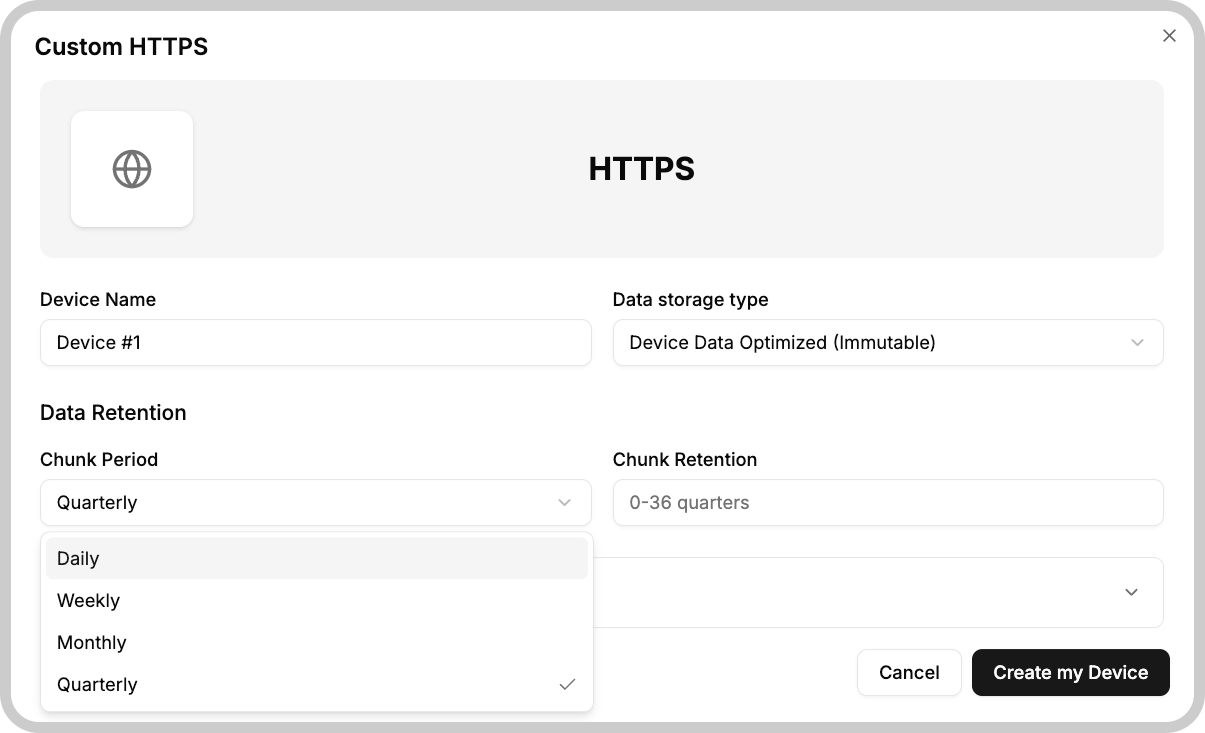
UI helper text shown in the configuration:
- This selection limits the storage for this device to 1 million data registers per month, you cannot change the chunk period. But you can always edit the retention from 0 to 36 months.
- The retention starts considering the current period: if you select 0 months it will delete all data when a new month starts.
Period
The Period field lets you choose the time chunk used to retain data (for example, Daily or Monthly). In combination with the Retention field, it defines how long data should be kept on your device.
Examples and important considerations:
- Setting Period to Monthly allows storing up to 1 million data registers per month.
- Setting Period to Daily allows storing up to 1 million data registers per day.
- You cannot change the Chunk Period field later on, so choose it carefully.
- Chunk Retention can be edited between the range of the selected period.
Setting your devices Chunk Retention to 0 will cause the platform to delete all device data when the next period starts.
Retention ranges by period
| Period | Retention range |
|---|---|
| Daily | 0 to 31 |
| Weekly | 0 to 26 |
| Monthly | 0 to 36 |
| Quarterly | 0 to 36 |
Each period chunk is limited to 1 million registers. The retention feature keeps data for the selected retention plus the data in the current period.
Keep that in mind when setting your Chunk Retention, if your device sends more than 1 million data registers per period, you will lose data.
How it works
The removal schedule depends on the chosen Period:
- Daily: starts removing old data every day at 00:00 UTC.
- Weekly: starts removing old data every Monday at 00:00 UTC.
- Monthly: starts removing old data on the first day of each month at 00:00 UTC.
- Quarterly: starts removing old data every three months at 00:00 UTC, starting from January 1st.
Data is removed by a task that runs at these times. Therefore, data in your device can still be presented for several hours after the period crosses 0:00 h in your local time.
SDK
You can also access the data retention parameters using our SDK.