Device Token
The secret key used between TagoIO and your device is called a Device Token. Any access from a device is granted only with a valid token. This token should be kept secret and shared only with people you trust.
note
Each time a device is created, the system automatically creates a device token.
Unlike other token types, device tokens are returned without a type prefix. They are provisioned into hardware and firmware where the token length is often fixed, so the raw form is preserved to avoid breaking those clients.
Finding the Device Token
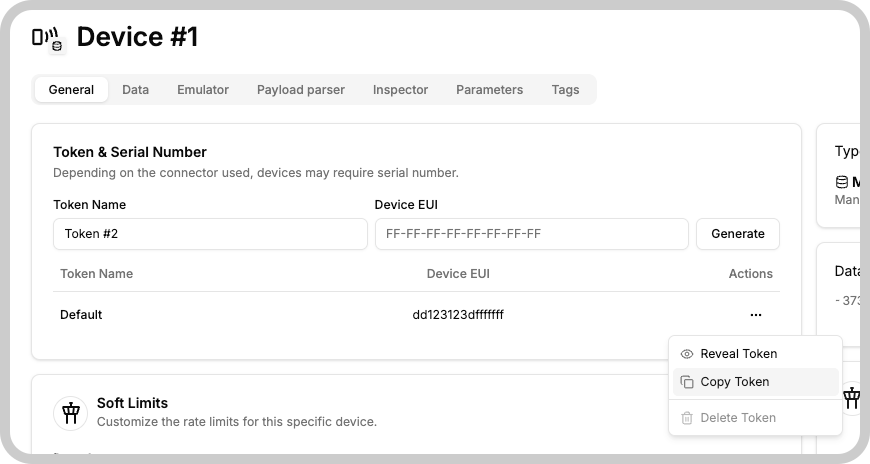
- Open the Devices module in the TagoIO Console.
- Select the device you want to get the token for.
- Go to the "General" tab.
- In the "Token & Serial Number" window, click on the 3 dot menu.
- Select "Copy Token" to copy the token to the clipboard.
Security recommendations
- Treat the device token like a password: do not expose it in public repositories, logs, or client-side code.
- Only share the token with systems or people that must interact with the device.
Something missing from this page?