Device Simulators
If you don't have real sensor hardware to send data through the Internet, you can still try all of TagoIO's features by selecting device simulators that feed data in real time. It's like adding a virtual device.
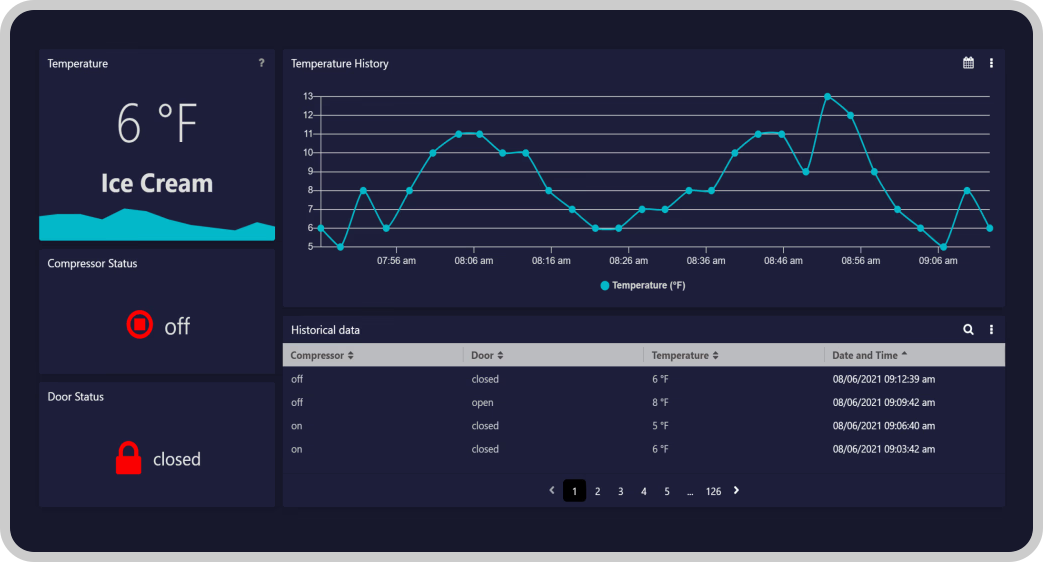
TagoIO's server provides a continuous stream of data, whether that data is simulated (e.g., bus, truck, freezer) or real (e.g., weather conditions in Raleigh, NC), through the Simulator network. Data is sent to the device's storage in TagoIO.
Adding a Simulator Device
To use this feature, go to Devices, then click on "+ Add Device", select the Network: Simulator, and from the list of connectors pick the one that simulates a type of device you want. For example, choose the "Bus Simulator" which will send location, fuel level, speed and other variables to your device data storage every 3 minutes.
After adding the device, a pop‑up will ask if you want to add a dashboard from our Dashboard Templates. Use this option to get a dashboard to start and edit from there.
TagoIO provides a list of Dashboard Templates for you to choose from. Some of them are made specifically for simulators, so you can start with a dashboard that is already configured to your device!
Data Visibility and Live Inspector
Data can take a few minutes to appear in the device. For example, weather data may take up to 15 minutes to present for the first time.
Use our Live Inspector to monitor raw data arriving on your account in real‑time.