Using your own AI provider
By default, TagoAI runs on a model and provider selected by TagoIO. If you want direct control over which model handles your data, for compliance, cost, or model-preference reasons, you can connect your own provider to a profile.
Supported providers
You can choose from:
- Use TagoIO default: TagoIO handles the model and provider. No configuration needed.
- OpenAI
- Anthropic
- AWS Bedrock
- Google Gemini
- OpenRouter
Connect your provider
The setting is per profile, so different profiles in your account can use different providers or stay on the TagoIO default.
Changing or removing a provider resets model selections that the new provider cannot serve. This affects the defaults for chat, AI Dashboards, and TagoRUN.
Record the current model settings before switching providers. After saving the new provider, review the model settings for all three features.
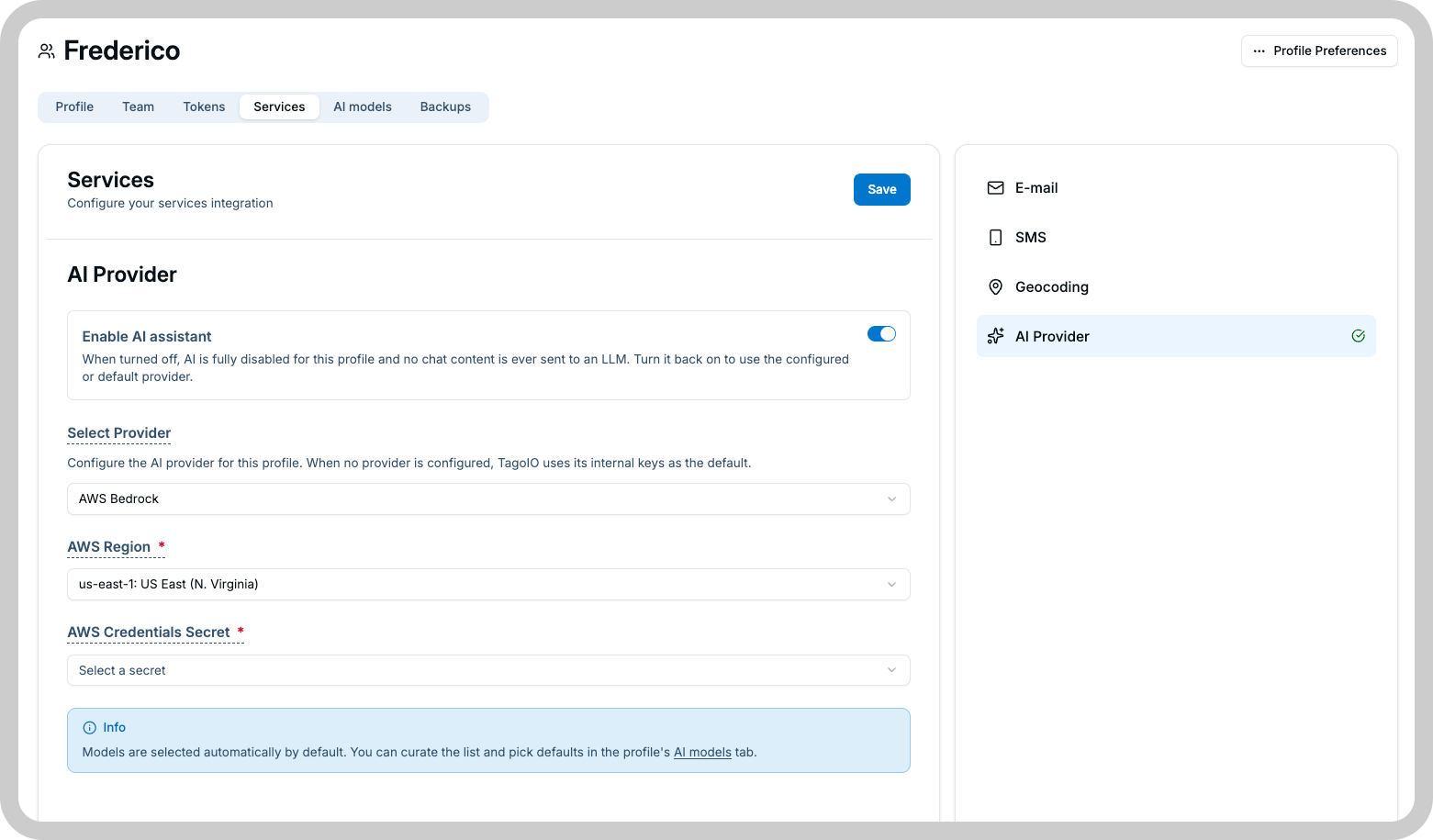
- Go to Profile Settings → Services → AI Provider.
- Pick a provider from the Select Provider dropdown.
- Create the provider secret. The Admin displays the credential fields required by the selected provider.
- Complete the required fields and save the secret.
- Save the AI Provider settings.
- Select a model and send a test request to verify the connection.
From that point on, requests to the models of your provider go through your account with it. The free model is the one exception: it always runs on the TagoIO side, whatever provider is connected.
Model selection with your own provider
The model picker only shows models available on your connected provider.
You can also register a custom model by the model ID expected by the connected provider. TagoIO validates the model when you save it: a successful validation confirms that TagoIO can identify the model through the configured provider. It does not confirm that every future request will succeed, because provider quotas, permissions, availability, and rate limits can change.
How your keys are stored
Provider credentials are stored using TagoIO Secrets and are not displayed again in the Admin after they are saved.
Request limits and billing
When a profile uses its own AI provider:
- Requests go through your provider account and are billed by that provider directly.
- Requests never spend AI Credits, including requests that would otherwise use a catalog model.
- The profile's TagoAI request limits do not apply: you manage rate limits and quotas with your provider. The free model is the exception: it always runs on the TagoIO side and counts against its monthly allowance.
When a profile uses Use TagoIO default, the free model costs nothing and catalog models from the AI model catalog spend AI Credits.
Switching back to the default
To stop using your own provider, open the same settings page, select Use TagoIO default, and save. TagoAI will resume using the TagoIO-managed provider on the next request. The switching warning above applies here too: model selections your provider was serving are reset.