Trigger by Resource
The trigger type "Trigger by Resource" allows you to execute an Action when a resource meets certain conditions. A resource can be one of the following:
For example, you can trigger an Action when a new user signs up in your RUN or when a new Device is added. That Action could, for example, push a notification to yourself.
Trigger Conditions
After setting up the device, you should set a condition that causes your Action to be executed. To do this, open the Trigger section of the Action.
You can set multiple conditions for different resource types in a single Action. If at least one condition matches, the Action will be executed.
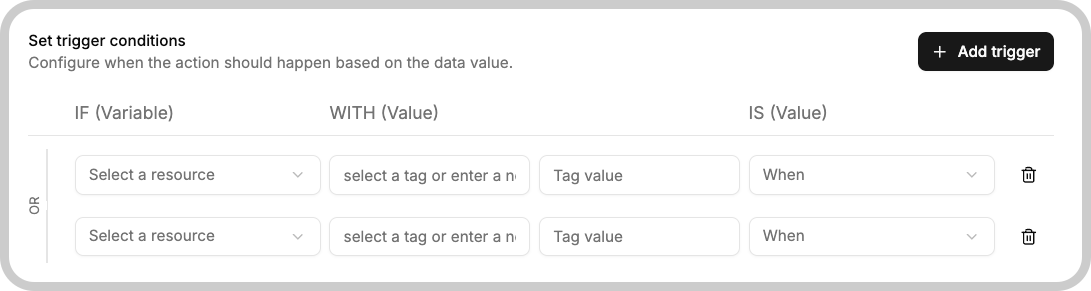
- Resource: Select a resource to be tested.
- Tag key: The tag key of the resource to be tested.
- Tag value: The tag value of the resource to be tested.
- Condition: The condition to be watched.
The example above means that the action will be triggered when a Device with a tag key of tag_key and a tag value of tag_value is created.