Trigger by MQTT Topic
The trigger type "Trigger by Variable" allows you to execute an Action when data is sent to an MQTT topic.
TagoIO provides its own MQTT broker that pushes data to clients when new messages are published to the topics they are subscribed to. To learn more about the MQTT infrastructure used by TagoIO, see MQTT.
Legacy MQTT is deprecated. The TagoIO MQTT Broker was available exclusively for Starter and Scale accounts in the US database region that upgraded before April 15, 2026. Accounts created or upgraded after that date do not have access to this feature.
Please migrate to TagoTiP MQTT, which supports all account types and regions (US and EU).
Existing devices and actions will continue to function during the deprecation period, but no new features or bug fixes will be provided.
Trigger categories
There are 2 categories for this trigger type:
-
Single device
Allows you to watch a specific device from your device list. Any data sent by that device will be tested against your topics to determine whether this action should be triggered.
-
Multiple devices
Allows you to watch multiple devices. Any data sent by those devices will be tested against your topics to determine whether the action should be triggered. For this type, you must supply the tag keys and tag values of the devices you want to watch.
Trigger Conditions
After setting up the device, you should set a condition for your action to be executed. To do so, you must head over to the Trigger section.
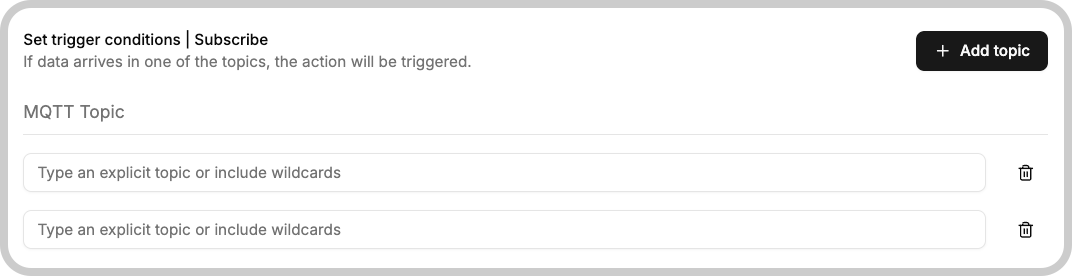
For each row, you need to set the topic that will be listened to. You may use MQTT wildcards for the topic if you prefer.
You can set multiple conditions in an action; if at least one of them results in a match, the action will be executed.
When you set up multiple conditions, the action will execute only once per MQTT message, even if that message matches multiple conditions. For example, if you have two conditions:
- Condition 1: Topic
sensors/+/temperature - Condition 2: Topic
sensors/+/+
And you receive a message on topic sensors/device1/temperature, it matches
both conditions, but the action will trigger only once for that single message.