Authorization
Authorization is used when you need to grant external services access to your devices.
With a valid authorization, those services can also create new devices in your account. These new devices will appear in the list as "Unassigned", making it easier to scale your applications.
An Authorization token is different than a device-token.
When to use each:
- Use authorization only when integrating with external services, such as LoRaWAN or Sigfox.
- Use device-token when connecting directly with HTTPS or MQTT.
Generating an Authorization
To generate an authorization and give an external service access to your devices, follow these steps:
-
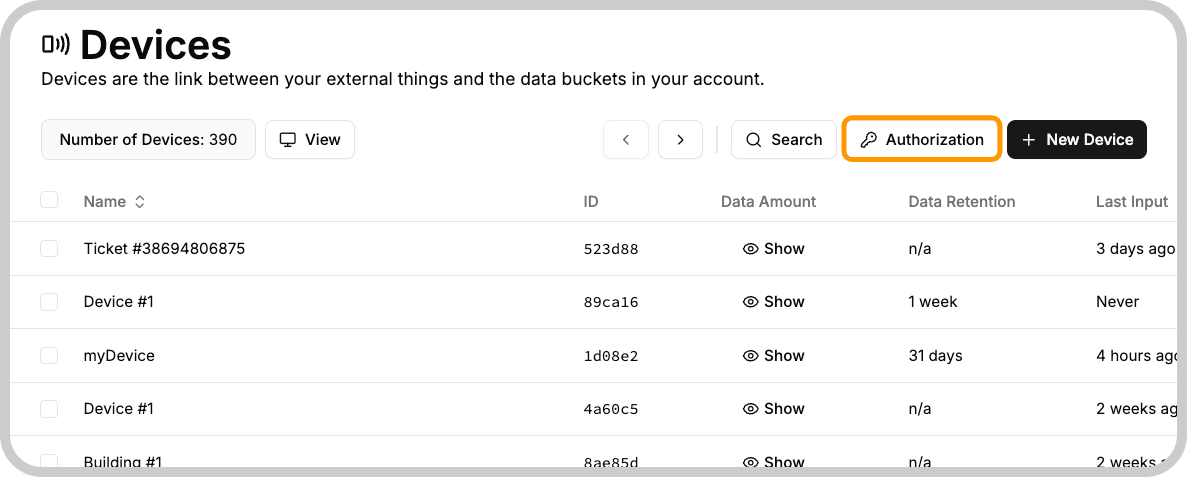
Go to the Device section of your TagoIO account and click the "Authorization" button.
-
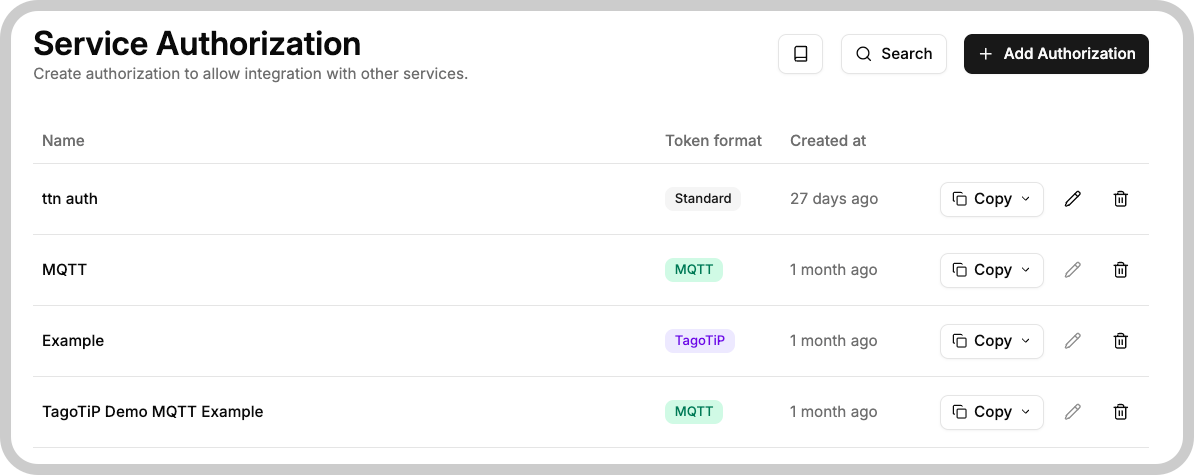
In the next screen, enter a name you can identify later, fill any additional parameters requested by the integration, and press the Generate button.
Only certain integrations require an Additional Parameter. Check out the list of integrations to learn the parameter needed for each provider.
Once the authorization is created, you can copy and paste it into the external service portal.
Copying authorization credentials
Each authorization entry in the list has a Copy button with a dropdown that exposes the following values:
| Field | Description |
|---|---|
| Token | The full authorization token. Most integrations use this value directly. |
| Token Hash | A hashed representation of the token, used by TagoTiP for verification. |
| User | The user identifier derived from the token. Used in MQTT-based integrations. |
| Password | The password field for MQTT-based integrations. |
How to use the authorization depends on the service that you are integrating. Here you can see a list of service integrations.